

Add ticket packages
A package is a ticket guests can buy, such as Single seat or Couple. Each venue needs at least one. You add packages on the venue form, under Packages.
Save the package
Section titled “Save the package”Like venues, packages are saved once and reused. The first time, create a new one.
-
Select Click here to add Package. An Add Package window opens.
-
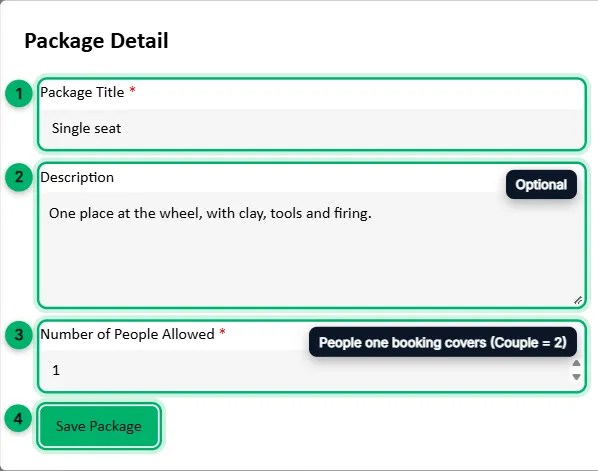
Under Package, choose Add New Package. A Package Detail window opens.
-
Enter a Package Title, such as Single seat, and an optional Description.
-
Number of People Allowed: how many people one booking of this package covers. Enter 1 for a single seat, 2 for a couple.
-
Select Save Package.
Next time, pick the package from the Package list instead. Saved packages are listed with how many people they cover.
Set the price and tickets
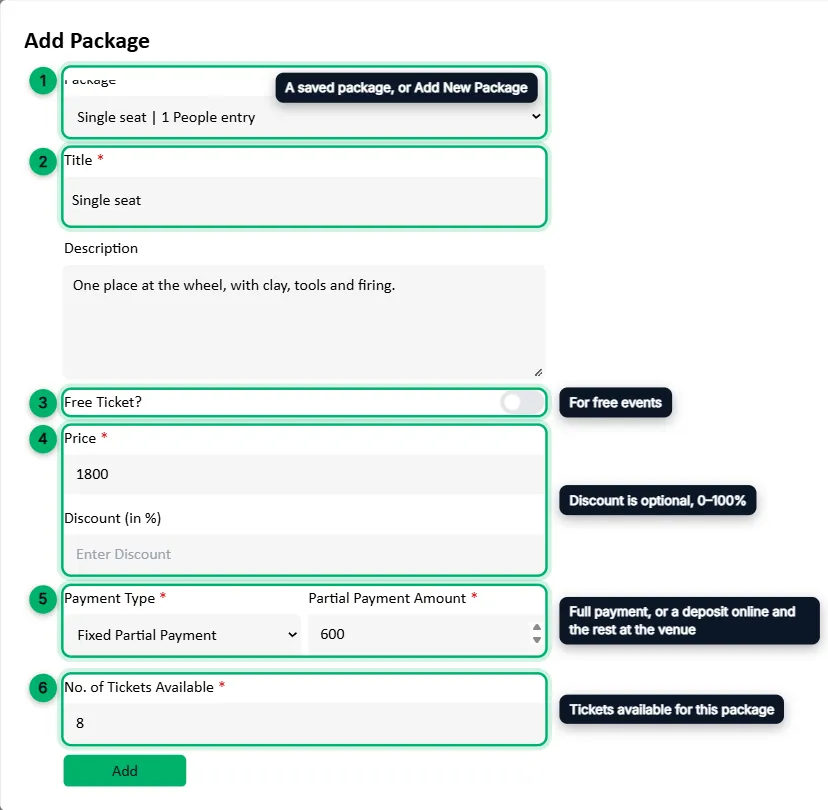
Section titled “Set the price and tickets”Back in the Add Package window, the title and description are filled in for you.
-
Check that your package is selected under Package.
-
Adjust the Title if you like.
-
Free Ticket?: turn this on for a free package.
-
Price: the ticket price in rupees. Discount (in %) is optional, from 0 to 100.
-
Payment Type: how guests pay when they book.
- Full Payment: the whole price online.
- Fixed Partial Payment: a set amount per ticket online, and the rest at the venue. The amount must be less than the price after any discount.
- Percent Partial Payment: a percentage of the price online, under 100%, and the rest at the venue.
-
No. of Tickets Available: how many of this package can be sold. This field appears when the venue tracks seats Per Package.
-
Select Add.
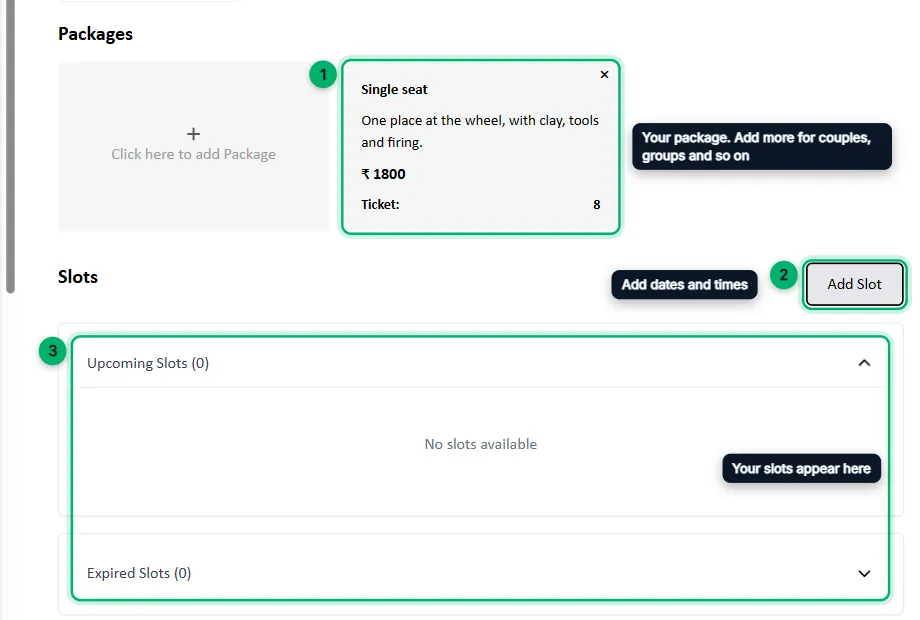
The package now appears on the venue. Add more packages the same way, then select Save Changes on the venue.
What’s next
Section titled “What’s next”Add dates and times so guests can book.